Please note: MyTrucks is only available for users with the ‘Terminal’ permission enabled.
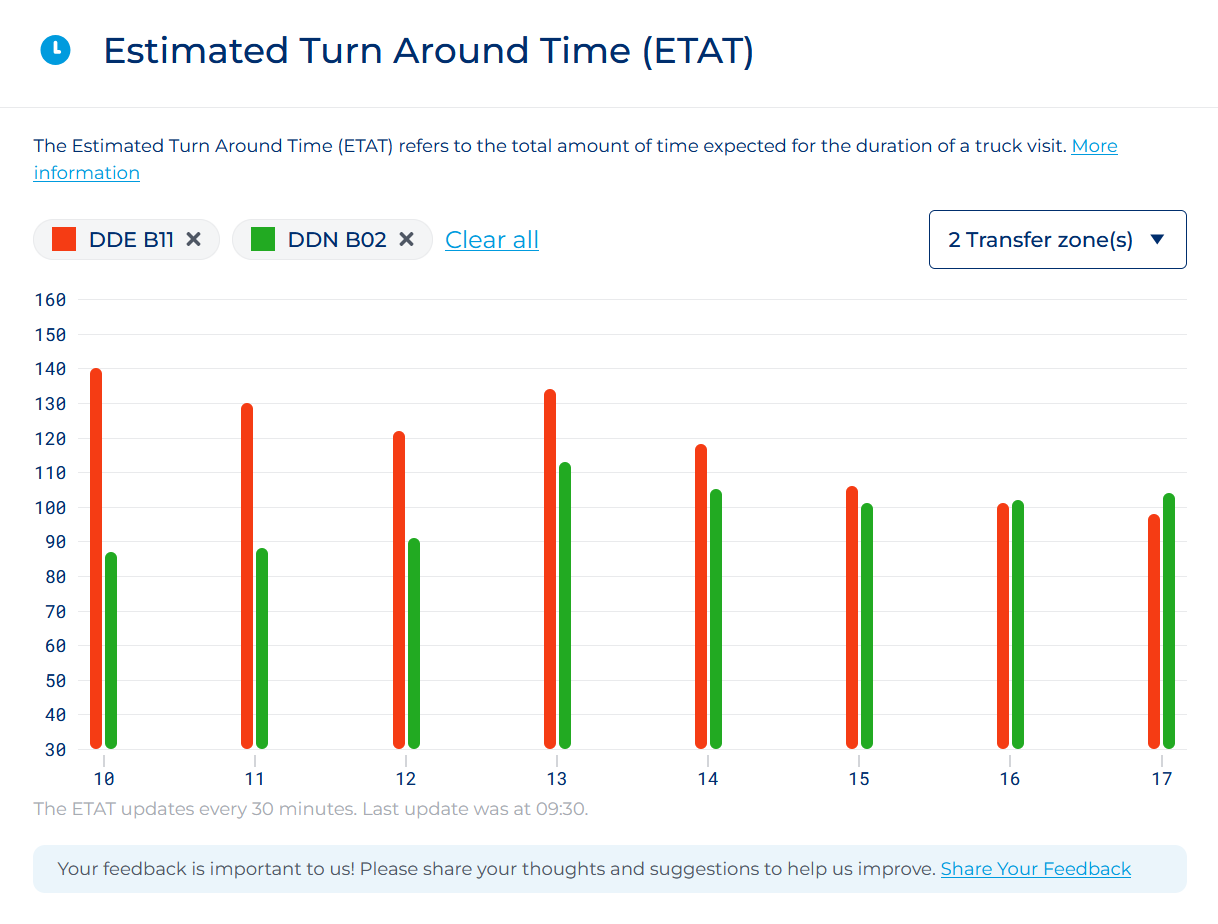
The MyTrucks overview enables you to view the current status of all of your trucks currently on the terminal while also giving you insight into the traffic or estimed turnaround time.
You can switch between the ‘Delta’ and ‘Euromax’ terminal by clicking on the name of the terminal. By default the information of the Delta terminal is shown.

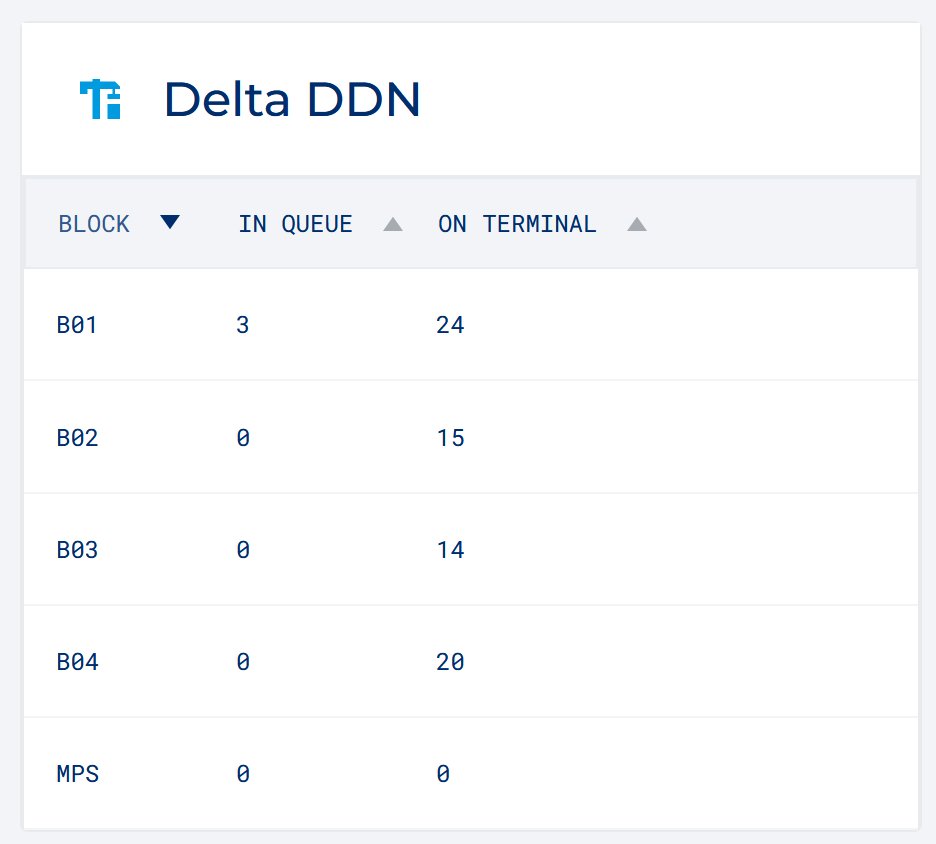
On the left side sections are available that provide an indication of the amount of trucks currently on the terminal or in queue for each transfer zone. You'll be able to sort alphabetically or by amount by clicking on the header "Block", "In queue" or "On Terminal".
The trucks on terminal enables you to see what your drivers see. You'll easily be able to view whether a driver is in queue, is experiencing a problem or is actively driving on the terminal. Every bit of information is available in order for you to help your drivers.
The data consists of:
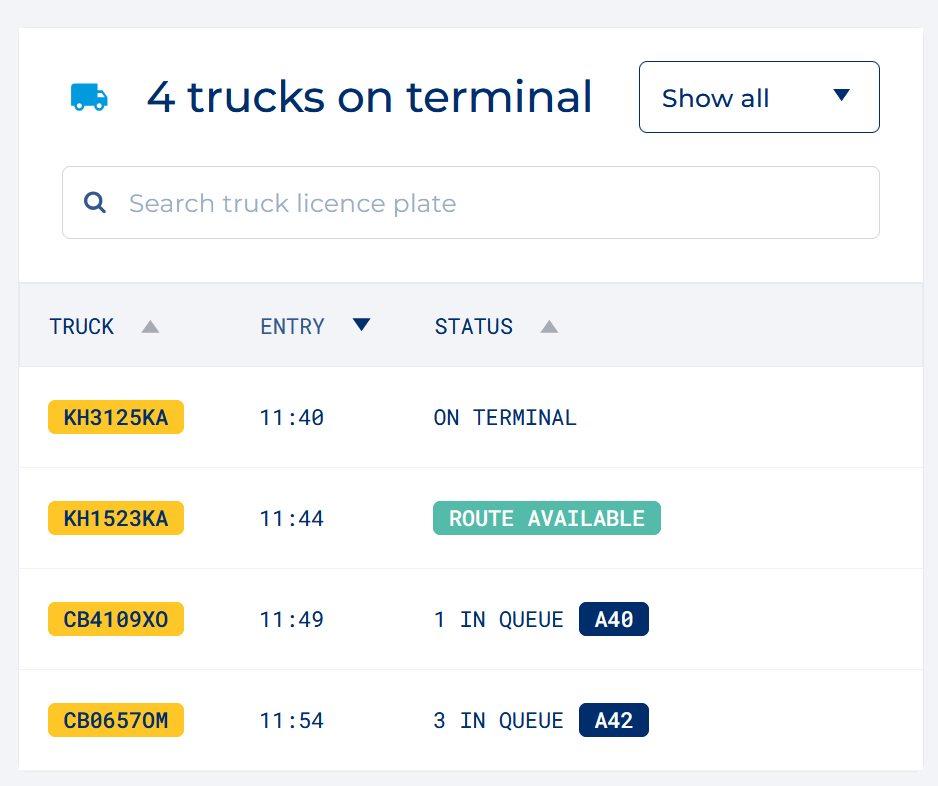
You can also search for a truck based on a license plate or by filtering on different statusses.
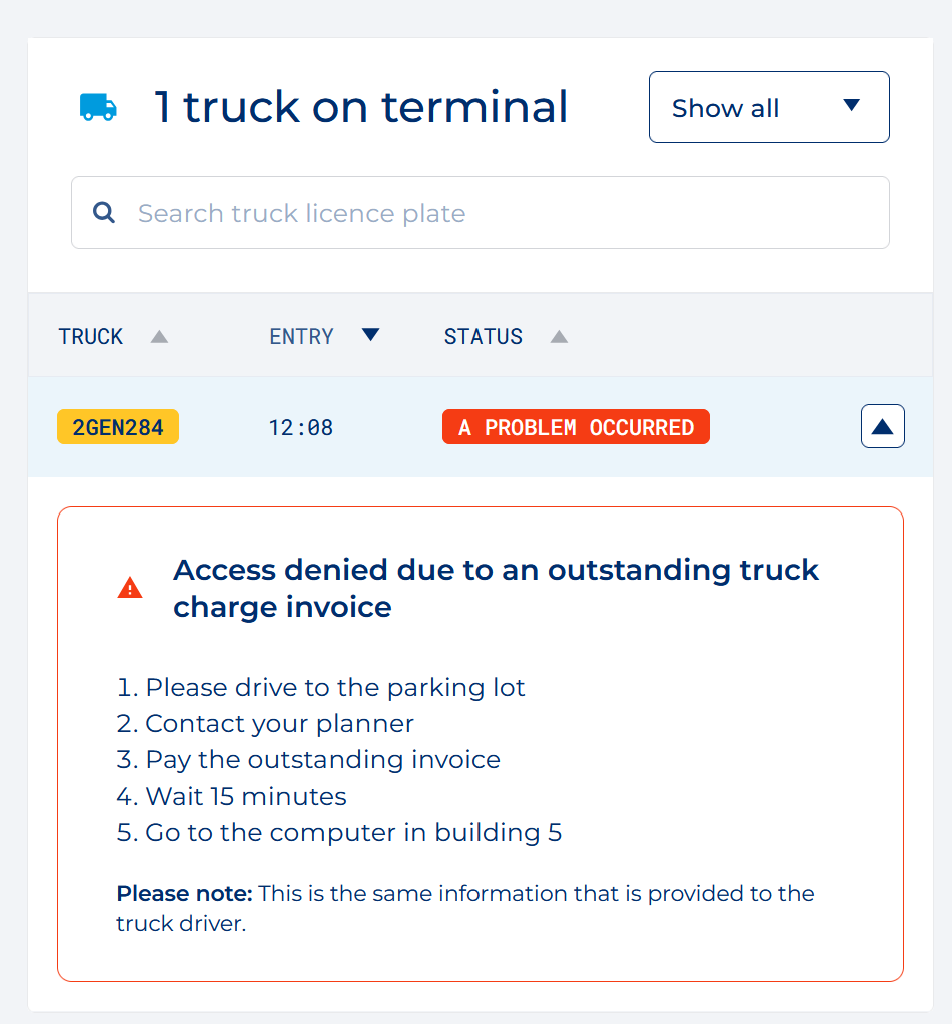
It's important to note that when a driver is experiencing a problem it can be one of many things. In order to help the driver as much as possible, the ECT app shows steps they can take to try and resolve their issue.
On the MyTrucks page the same steps and information are shown that are shown to the truck driver.
Quickly and easily execute a TAR check before visiting the terminals. After validating the TAR code we will show the status of the appointment and tell you whether or not the containers are available for pickup or dropoff.
A driver can execute a TAR check through the ECT app. The information shown is the same as on MyTrucks.
A clear and simple overview that grants insight in the amount of time it takes for a Terminal visit to be completed from Security In to Security Out.